|
Javascript DHTML Drop Down Menu Powered by dhtml-menu-builder.com
|
N7XG Logger 5
N7XG Logger is for any individual whether they are a
Net Control Station or just a user checking into any of the 3905 Century
Club Nets who needs to maintain accurate records about all aspects of particular net.
Here are instructions on
how to run N7XG Logger under Windows 7.
Here are instructions on
how to run N7XG Logger under Vista.
N7XG Logger includes the following:
 Comprehensive Contact Management Comprehensive Contact Management- Excellent tool for Net Control Stations (NCS)
- Interfaces with FCC data bases
- Import check in data from Email Reflector
- Interactive Monitoring of Century Club Nets
- Email check in list to Reflector or Email lists
- QSL Buro support
- Club Officers/Master holders
- Century Club Award Membership award history included.
- QSL card and label generation
- Comprehensive Report management. All reports are customizable by the user.
- Century Club Award Generation.
- Complete FCC database included.
- Complete Canadian RAC database included.
- QRZ.COM lookup support.
- Fully customizable
- Easy to use 'point and click' Windows 32Bit interface
- Intelligent fields correct common entry mistakes
- Designed for quick entry using keyboard and shortcuts
- Field wizards help you to enter the correct information
- Store contact information for stations to recall later on
- Record stations address, comments
- Download updates from the FCC and Buro Managers
- Quick database storage, instantly records contacts
- ADIF Log inport/export including Logbook of the World
- Conversion from other Logging programs (BML, etc)
- Over 100 pages of help
- And it is completely FREE!
 View the
N7XG Logger User Manual View the
N7XG Logger User Manual
It would be very difficult to be an NCS without your program. It is a great asset.
Bob, KC1AU
I started operating on the 3905 CCN 40 and 75 meter phone nets in May of
2005. It was not long before I discovered a great tool for keeping track
of my contacts on the net. That tool was the 3905 Century Club Logger.
Dean has created a great utilitarian piece of software to maintain your QSL
records and print QSL cards for contacts made on the 3905 nets. This saves
a lot of time. The features found in the CC Logger are indispensable when
operating on the CC Nets.
Gary Stebbins
KC9GGV
Fort Wayne, IN
The CCLogger program makes it for me! Even if I'm late for a net, I can see
a complete list (if the net's being logged), you can see at a glance who
you've worked and when you worked them, and the effort it saves me in keeping up
with my cards is invaluable. Thanks Dean and everyone else involved in
bringing this tremendous work saver to the group!
Mac/RUG
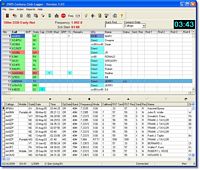 |
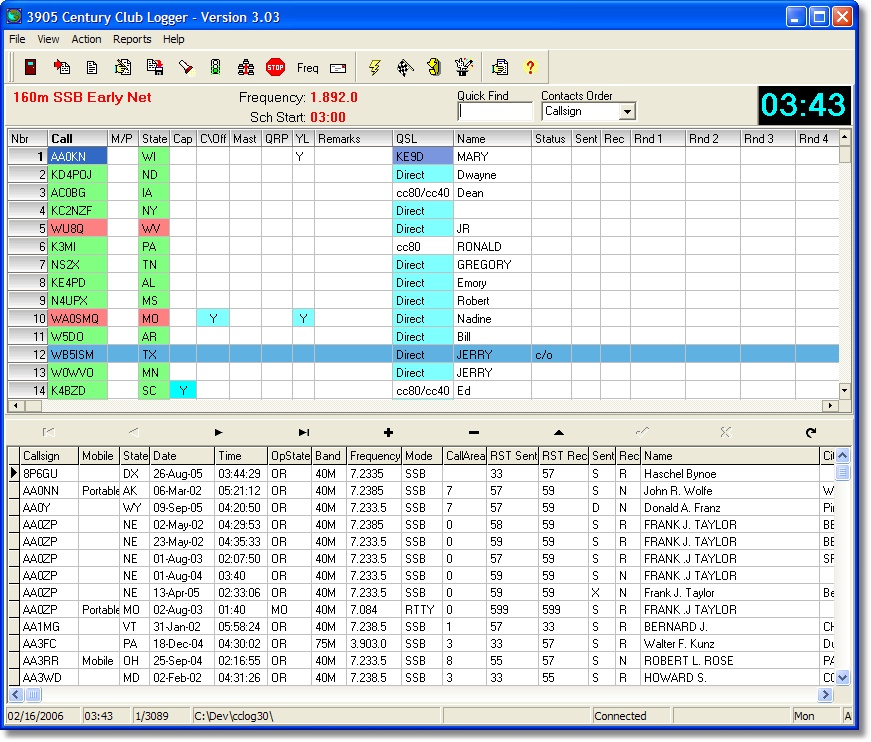
The primary functions of the program are to record all of the checkins
for a particular net and then to work as many contacts that you have not
worked before. When a station checkins you enter the callsign, the state they
are located in and if they are portable or mobile. After entering this
information the program visually tells you that either you have worked this
station in this combination or not work the station. If the station is green
then you have not worked it. It is this basic function that is the foundation
of the program. Many, many additional features are included that will help
you with the contact.
After a station is recorded the program will display additional information
for you including indicators for state capital, Original Charter Signer,
Master Degree holder, officer, if a station is running QRP and if so the
power level, or if the station is a YL. It will also look up the call in the
FCC data base and show you the stations name address city and state,
determine if the station is good in the buro by looking up the station in the
supplied BURO database.
If you decide to work a station the program will prompt you to provide both
of the Signal reports (RST) and then add a record to the Contacts data base.
The contacts database is the respository of all of the contacts you have made.
After the contact is made the program will make the checkin that you have
made the contact.
|
|
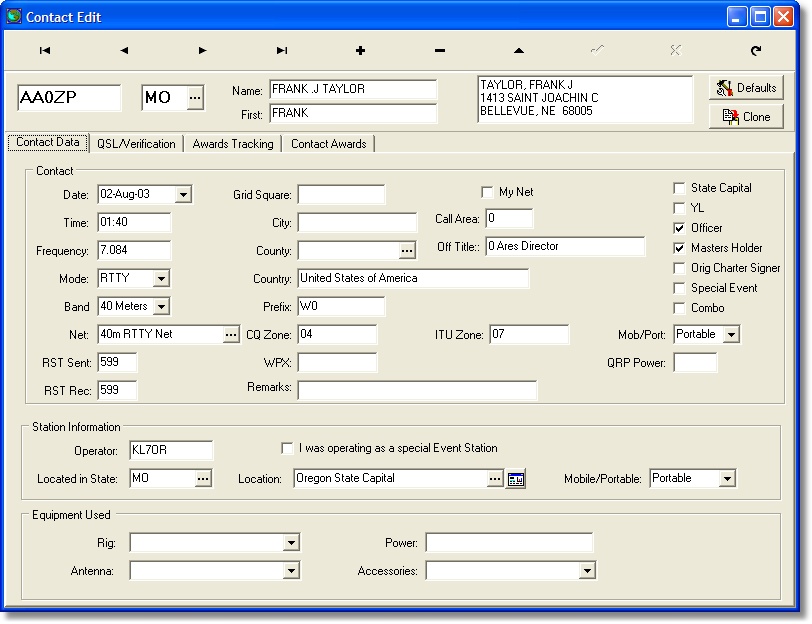
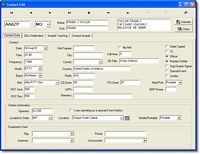
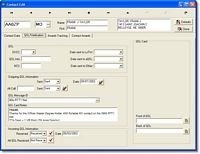
Contacts can be manually be entered into the Contacts data base by using
the contacts edit screen. Using this screen you may also add additional
information to the contact as needed. Specifically this is where you customize
the QSL card information.
|
|
All aspects of QSL card management are included.
|
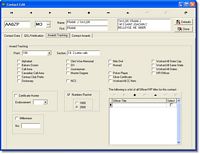 |
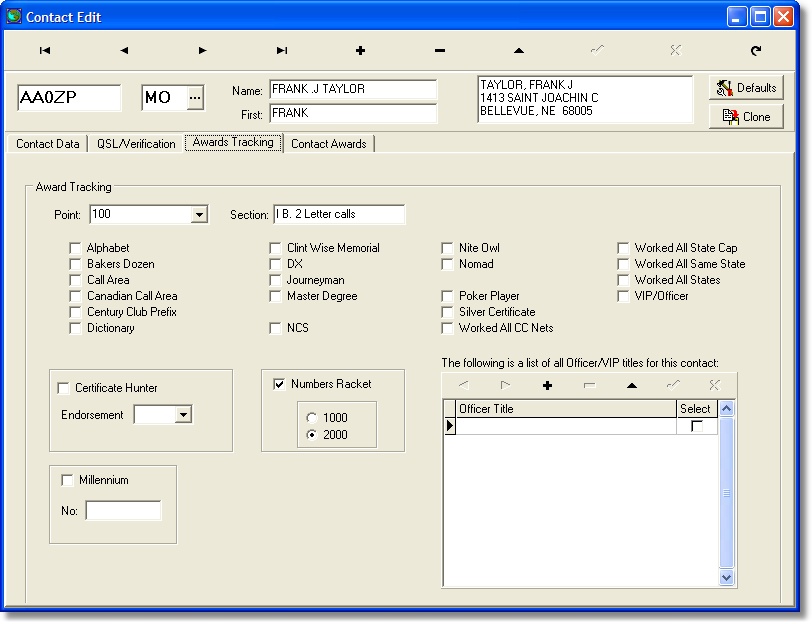
The Award edit screen can be used to assign contacts to specific awards.
|
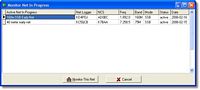 |
With version 3.00 we have added the ability for realtime monotoring monitoring of nets.
When a station becomes a logger for a specific net then any other station may monitor
the check-in list in real time mode. When the logger makes changes then everyone
gets those changes in his/her check in list.
|
|
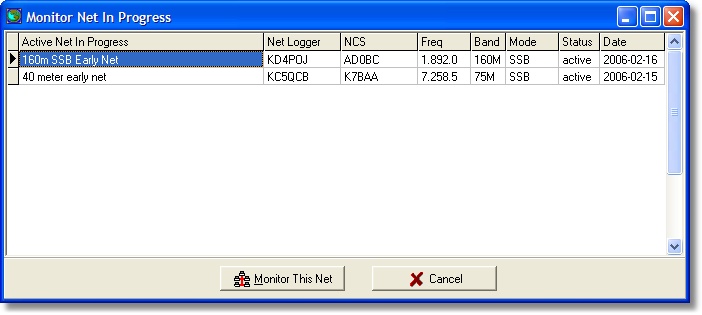
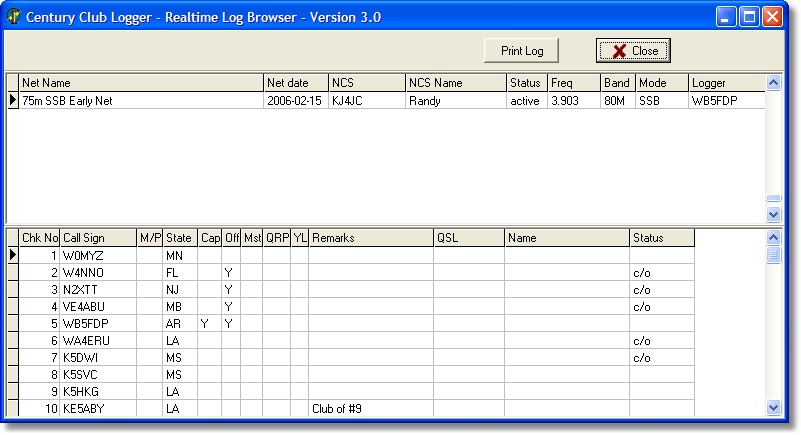
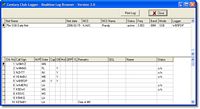
We have even included a new Browser utility that will allow you view all of the
nets that are currently being monotored. By using this stand alone utility you
you can print out a check in sheet of any net in progress.
|
|
Starting with version 4, registered users may sign up for DX Notifications. If you
have signed up for this service and a DX station has checked in to one of the
nets that is being logged by some one you will receive an email notifying you
of this event.
|
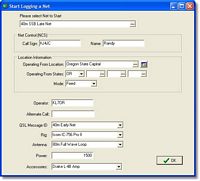 |
In order to get things started with the Logger you must first get a net started
as either the Net Control, or as a checked in station. When you start a net
you are presented with a screen where defaults are set for the current net.
Information about your station, the Net Control station, where you are located
including multiple state lines, and information that will be printed on your
QSL cards.
|
|
There are really no differences in using the program to just work stations
or use it to run the net. All of the functions are the same. There are special
lookup functions to find station is specific states or finding a station with
minimal information. You may keep a running record of what station worked
another for up to 10 rounds.
|
|
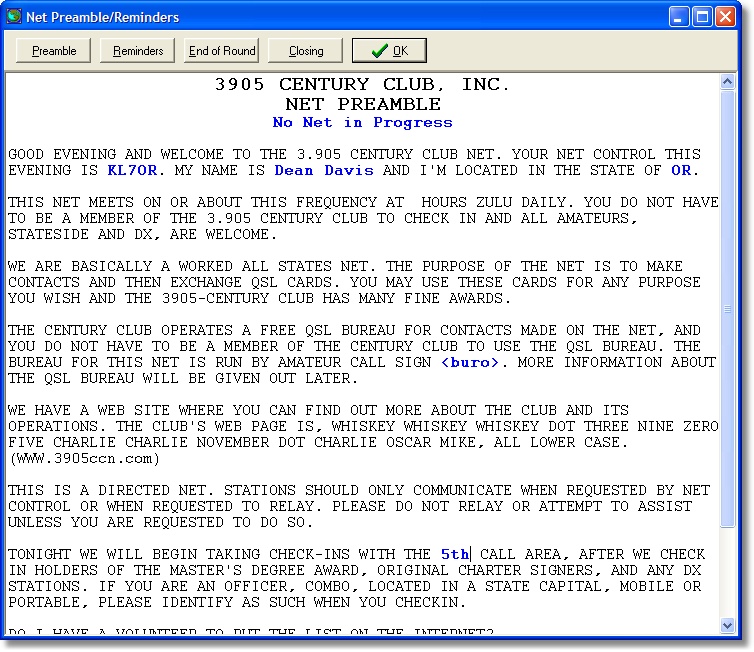
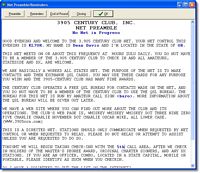
Also included is a option to dispaly the standard Century Club Net Preamble
and Net Reminders scripts directly from the program. When displayed they care
customized to include information about the net in process.
|
|
A Net Control station may utilize the Net Logging features and log his/her
checkins to our central server for other stations to monitor while a net
is in progress. For the stration that is checking in what this means is that
he/she can sit back and watch his own screen as the station that is logging
processes checkins.
|
 |
Included with the software is a current copy of the entire amateur FCC call
data base. Also included is the license file from Canada. This data base is
used throughout the program to display individual data such as name and address,
city state, and zip code. This is used to initially determine if a contact is
on a state capital, and also can ber used to create address labels.
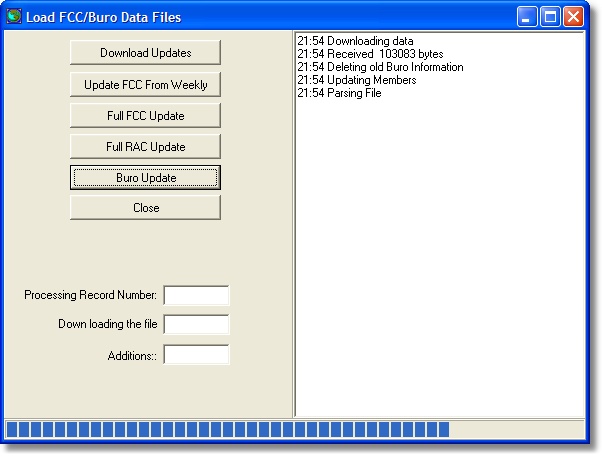
From time to time updated databases will be uploaded and available on
the Alpine Software Download page. Simply download the updated files and
install them into your current N7XG Logger directory. After installed
run the FCC Re-Synchronize function to apply any personalized changes, such as
first name.
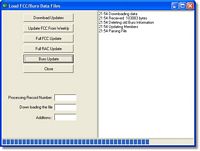
The program also support downloading either the full FCC database or the
daily FCC updates from the FCC web site. With this feature you can keep
your FCC data always up to date.
|
|
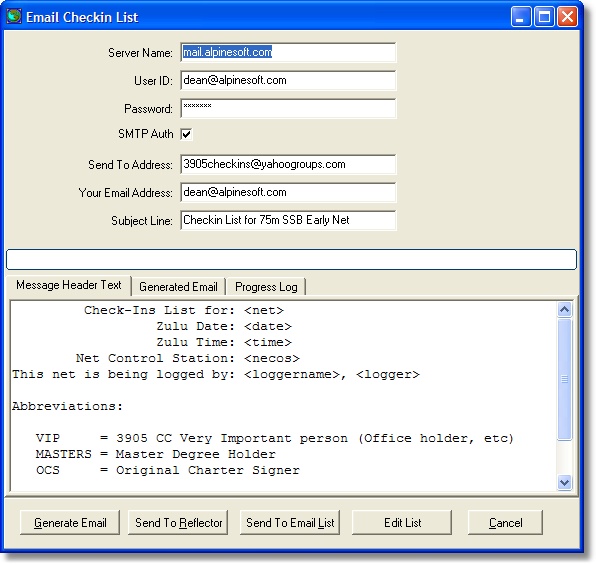
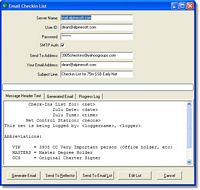
As an option you may use the program to email the current list of checkin
to a email reflector or to a email list provided by the Century Club. You
have complete control of the format of the message text.
A easy to use interface also allows you to import a checkin list from either
email or the reflector and supports all of the different fromats including
BML log.
|
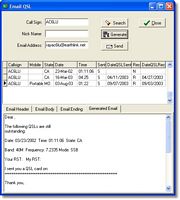 |
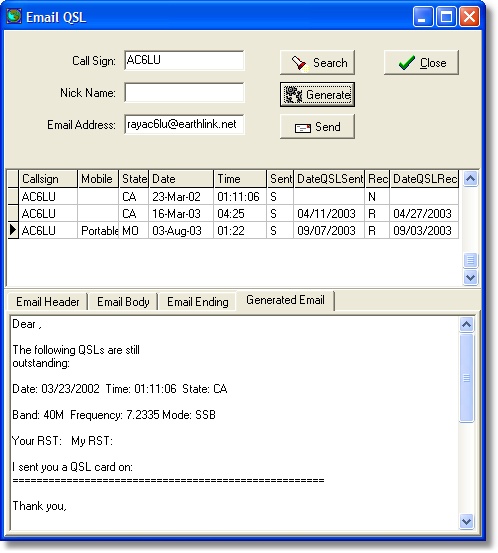
Using the QSL/Email assistant you can send emails to stations that have not
sent you a QSL card.
|
One of the important benefits of the Century Club are it's FREE QSL buro's
that any station can use to process their QSL cards. For more information
please check out The Century Club Web Site
The buro works by first sending envelopes to the buro and then when you work
stations you send all of your cards to the buro. The buro then sorts the cards
and send back to you using one of the supplied envelopes your cards. If you
send a card to the buro that is not good the buro manager will return it to
you at which time you will have to get it to the station using another means
like the US Post Office.
When you make a contact the N7XG Logger will search the BURO data base
and if that station is not fopund will mark the contact as a DIRECT contact.
When you use the QSL printing features these cards will be marked so you can
set them aside for manual distribution. The other cards can then be sent
to the BURO.
|
This program originally started out as a program to only print out QSL cards
and assist in keeping track of what cards were sent and received. Using the
QSL management functions of the program you complete and personal messages
for the contact and run the generation process. It will only generate QSL
cards or labels for any contact that has not been previously been generated.
When conplete it will mark all contacts for which QSL cards were generated
with a sent status and record the current date.
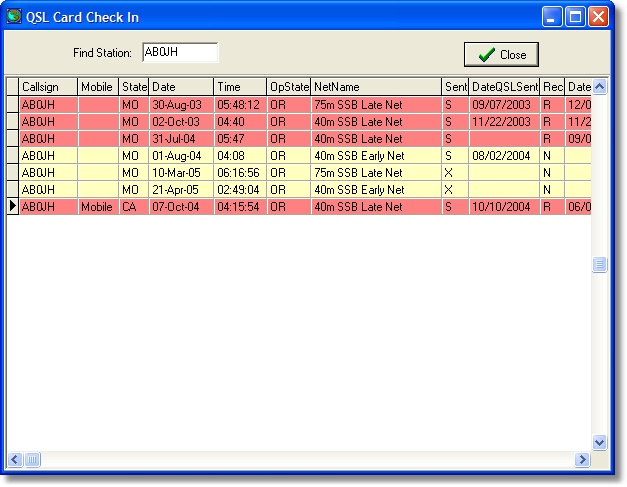
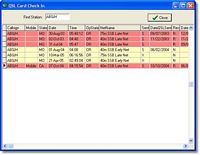
As you receive QSL cards a simple lookup screen can be used and simple mouse
clicks to record that a card has been received and the date received. There
are also some standard reports used to track QSL cards not received.
|
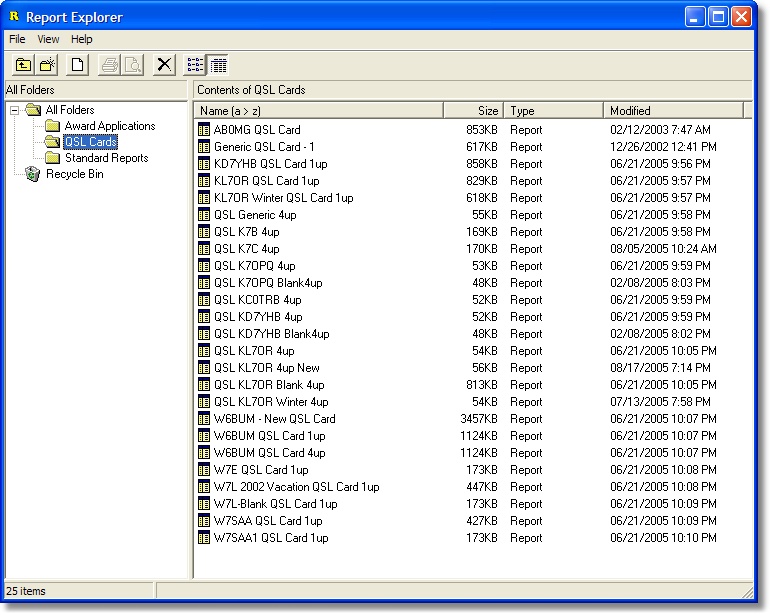
Ising the included Report Generator you may design your own QSL cards to your
exact format. Using the many fields in the databases you can all but automate
your qsl process.
Sample Generated Cards


|
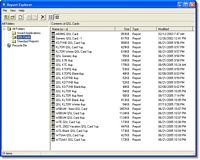
A number of standard reports are provided to assist you in managing your
contact data. All of the supplied reports can be modified to meet your own
specific needs. From time to time we will make additional reports available
on our web site that can be downloaded and loaded into the N7XG
Logger program.
|
Sample Reports
Alphabet Award
Call Area Summary
Callsign Report
K7OPQ 4/up QSL Cards
KL7OR 4/up QSL Cards
KL7OR 4/up QSL Cards
KL7OR 4/up QSL Cards
KL7OR 4/up QSL Cards
KL7OR 4/up QSL Cards
Station Logbook
Numbers Racket Award
QSL Incomming Summary
QSL Labels
QSL Outgoing Summary
QSL Pending Report
State Summary
States Worked Report
VIP/Officer Report
Worked Officers Report
Worked State Capitals Report
Worked YL Report
|
Century Club Award Generation
|
|
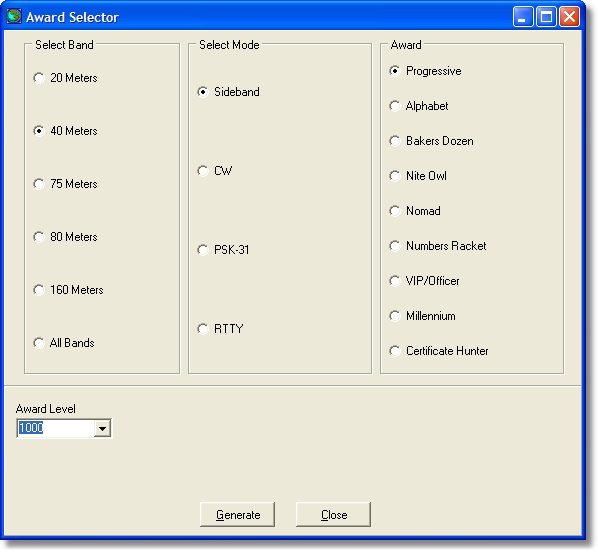
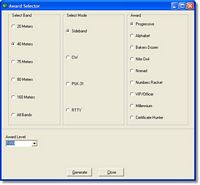
You can generate many of the standard Century Club Award Applications ready to
be mailed. These include any of the progressive awards (100, 500, 1,000, 2,000,
etc.), Bakers Dozen, Nomad, VIP/Officer, and the Nite Owl on all modes and bands.
|
Sample Awards
Alphabet Award
Numbers Racket Award
|
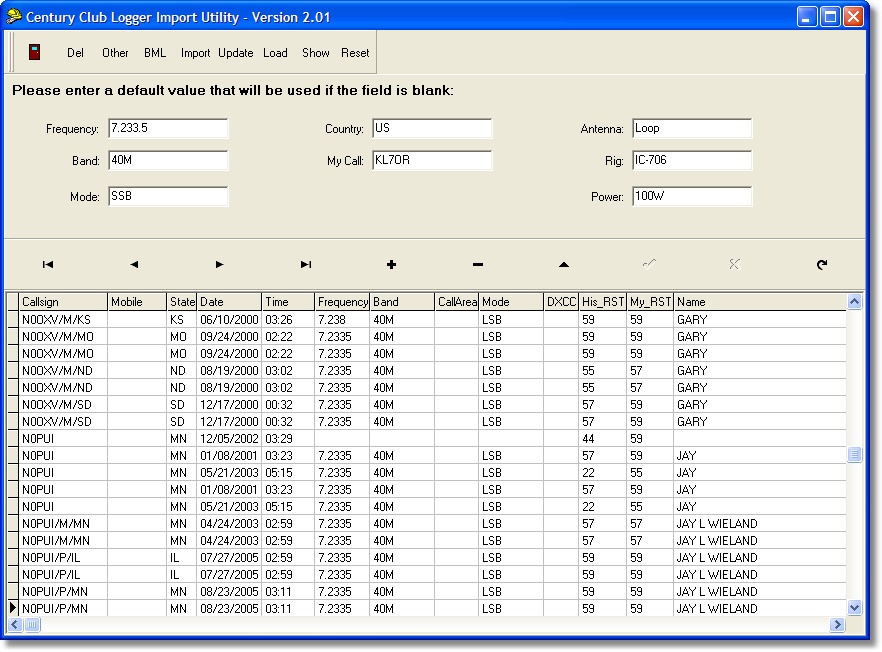
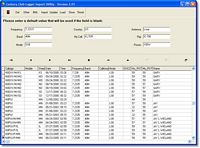
The program provides an easy to use method to import any existing contact
data you may have from another logging program or file using the standard
ADIF file format. For example if you have LOGEQF you may export the data
to ADIF and directly import that contact data into the N7XG Logger.
If you are using Microsoft Excel to keep track of your contacts you may
import that data as well. A easy to wizard will guide you through the steps.
|
|
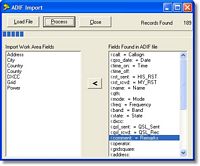
Contact data may be imported from other logging programs using the ADIF import
functions of the LogImport utility.
|
|
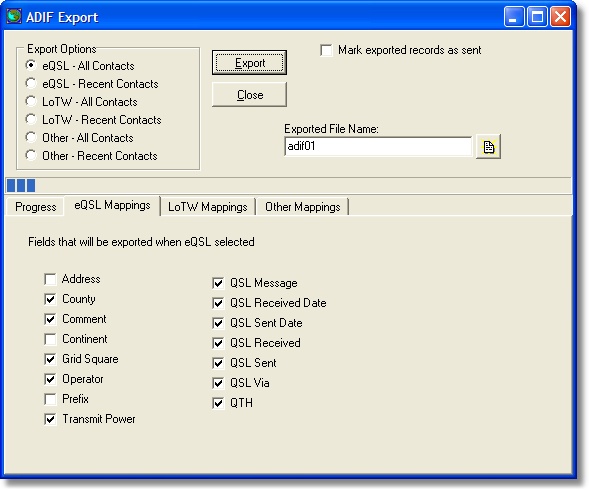
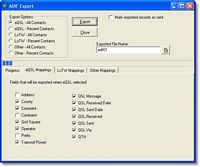
If you need to export your contact to other logging programs or to the ARRL
Log Book of The World a friendly interface will allow you to export the data
exactlyt to your needs.
|
Contact data may also be exported to a number of external formats including
Microsoft Word or Excel, HTML, dbase, plus many more.
And finally where would a program like this one be without a backup/restore
function. Our Backup/Restore program is a seperate program designed to backup
all data except the FCC data to a different location such as a CD rom or ZIP
drive. Frequent backups will insure that if you have a computer system failure
you will be able to recover your data. The restore function can restore any
backed up data.
|
Changes Version 5.01 (12/9/2010)
|
- Added Dictionary Pre-Processor
- Added Bakers Dozen Pro-processor
- Added Dictionary pre-list report
- Added Bakers Dozen pre-list report
- Added Call Area Pre-list report
- Added Progressive Summary report
- Added Dictionary Award
- Added Call area Award
- Added WAS\YL Award
- Added Certificate Hunter Award
- Added Bakers Dozen Award
- Fixed several problems with checkin prelist including DX and Canada stations
- Added a number of new fields to support many of the awards
- Redesigned the Edit/Awards Tracking screen
- Added new screens to support the Dictionary award
- Fixed a problem with Merge Log files
- Added new program options to customize the main Report menu. This us customized in the Program Options screen
- Added new program options for default Award templates
- Fixed several problems with color settings in the checkin list
- Fixed problem with the Officer update not loading all the records
|
Changes Version 5 (5/21/2010)
|
- Completely re-wrote realtime functions. System no longer uses a database server and it now uses the same server where checkin lists are being posted (www.alpinesoft.com)
- The realtime tool bar button has been removed
- The Monitor net screen has been removed
- When a net is started the logger will ask you if you want to log or monitor a net.
- Problems with lost connections have been resolved
- Problems with logger lock ups have been resolved
- Problems with net stopping and either restarting or starting a new net have been resolved
- There is a new look and feel in the checkin area on the main screen.
- You will now have an option to get call sign data from QRZ if you have registered with their service.
- If using QRZ lookups more complete data for DX stations will be retrieved like Full name, address, and country.
- If using QRZ Grid square and county information will be stored with contact
- The realtime browser will not be upgraded with version 5. If you need to see if a net is active please visit the website: http://alpinesoft.com/ccLogNets/index.php
- Century Club Awards data now current
- Only the station that is logging a net can send to the reflector
- When a DX station is checked in the state will be set to DX
- Added QRZ lookup to the members screen. You will be able to save the stations email address, previous call signs, and club stations trustee information in the members table.
- If using QRZ for lookups a check will be made to determine if the station checking in is holding a technician license to determine if it should be marked as /AG.
- If using QRZ for lookups a check will be made to determine if the station checking in is using an expired license.
- Export contact to almost any format, text files, excel, dbase plus many more
- Added Station Configuration file. Now when you start a net you may select a station configuration that matches your environment.
- Rearranged some of the fields on the Edit screen. Also made the time field auto format to hh:mm:ss. If 0100 is entered it will be converted to 01:00:00
- Corrected an old problem with slow access to the server for live logging or monitoring. With this change once either a logging or monitoring event is started the program will not try and start another interval until the current one is finished. During testing I noticed that there were times when the logger was always reading from the server.
- On the Edit screen: F3 key will add a new record; F4 key will post the current record
- Corrected a problem with ADIF export the RST fields were switched around
- Cleaned up the ADIF screen a bit. Progress bar now shows all activity. This was a problem for people that had thousands of contacts.
- Change the behavior in the check in area allowing the enter key (return) to move to the next row in the list. If enter is pressed on the last row a new row will be added. This should help the newbies better understand how checkins work.
- Added National Park drop down to the Awards tab on the edit screen. Also if the System Option “Enable national Park Lookup” is checked the user will be prompted to select a park when the character string “NP” occurs in the remarks column in the checkin area.
- There is now a Close button on the start net screen
- Removed extra spaces in generated QSL Messages
- Fixed problem with county data not being saved properly
- Updated the method for setting your own colors on many of the edit screens. This is a system configuration option.
- Updated the Checkin QSL screen to allow you to uncheck a card. If you double click a line that is yellow it will be set to red and the contact will be updated as being received, if you double click on a line that is red, it will be set to yellow and the contact will look like it has not been checked in.
- If you do not have an internet connection when you start the program all online functions will be disabled including Live Logging, email support, and download updates.
- Redesigned the Code Table screen and made it easier to add new entries. Also you are no longer required to restart the program when making code table changes.
- Removed the extra spaces in the QSL message field.
- Added the ability to down load and update the Country prefix file form www.dxatlas.com. This feature will solve the problem of getting updated country codes.
- Checkin line will be set to a club when the primary operator field in the members table for the club is equal to the previous checkin line call sign.
- Fixed a problem what a net is started just before 24:00z and the file names having the incorrect date.
- Moved real-time processing to a separate module. This should help with network response time issues. When you start real time you will notice a little window pop up. This window will give you an indication of server performance. The number in the screen is the time in seconds to perform server activity.
- Added a new screen that is activated by using the CTRL-L keys when a net is open. It will display all of the parameters used for the net you have open.
- With version 5 the logger will no longer be able to use checkin lists from other programs such as BMLLOG. The format of the file sent to the reflectors has changed slightly.
- Added new main menu item called Maps. Using this menu item you will be able to view the maps generated by WB5FDP in a Internet Explorer browser.
|
Changes Version 4.04e (1/7/09)
|
- Corrected a problem on the Monitor Start screen that was causing an occasional error to be thrown.
- Moved the hard coded url addresses for both the bureau and officer to the cclogger.ini file.
- Added "control F3" to log contacts and mark the primary station as no card
needed. This is useful if all the calling station wants is your club call
|
Changes Version 4.04d (11/4/08)
|
- Corrected a problem in the checkin prelist where Canadian stations mobile in the
US were being forced into DX
- After many emails from folks who were mobile during the summer there is a new
feature to merge log files.
- Added a new tool bar button and screen that will dispaly a summary list by
state for the net band and mode you have open.
|
Changes Version 4.04 (7/16/08)
|
- Check-in list reversal problem corrected
- The net schedule list is now made into a read-only file and you will have to use the "Download Updates" feature to get an updated list. This should solve the problem with people using bad net names that get into the "Live logger"
- Corrected a problem with ADIF export.
- Added a check box for "No Alt card needed" to the Monitor Starting screen.
- Added new option to the Help menu for a change log.
We continue to discover litle bugs since releasing version 4.00. As a result of
discovering a more complex bug it was necessary for us to change the password
on the database server to force all users where using the real-time features
to upgrade to the current version. Yes, we do still have people using a version
prior to version 3.
The second big change with this release is the ability to store a checkin list
on our server in the same format that it is posted to the reflector. What this
means to everyone is:
- Every time you post a list you will also be saving the file to our server
- A new feature of the Alpine website will allow anyone to display the current
list at any time and not have to wait fro a email from the reflector
- On the "Precess from Reflector" screen there is a new button that will check
our server and if it finds a checkin list for the net you have started it will allow
you to download and use.
- Any program that can use the list from the reflector and use the list that is
saved on our server.
The url for the checkin lists is:
http://www.alpinesoft.com/ccLogNets/index.php
Fixed a bug with saving check in lists to our servers
Added support for the new National Parks award, both Tourist and Ranger.
Shortly after we released version we discovered several bugs.
Summary of changes:
- Fixed a problem with performing a "Net Takeover"
- Fixed a problem with a station that is checked out and the entire line did not always stay blue
- Fixed a problem with the color of net Active Line feature not staying green
- Also fixed a bug that was crashing the application with a BDE Engine Error /
Invalid Parameter error
- Added a drop down box on the Start Net screen to allow you to denote the status of
your club station when starting your net. Often stations have their club stations as
portable. The Edit Contact screen was also changed.
After too many months version 4.01 of ccLog is ready for prime time.
Summary of changes:
- Re-wrote online monotoring/logging functions (works better)
- the F2 key now clears the quick find
- While a net is being logged stations monotoring will be able to see the current contact in progress
- Fixed problem with the time field on the contact edit screen
- Fixed problem with assigning a 500 point award level
- Fixed a problem when a station only had a bureau manager and was not good in any of the bureaus
- Removed the F9 function whick placed Fixed a problem with key violations when adding multiple states on log contact
- Changed PSK-31 to PSK31
- Fixed problem with stopping one net, then starting a new net (crashed)
- Fixed problem with change net frequency
There were many additional cosmetic changes mostly just wording, capitilization, etc.
- There was a very difficult bug to identify. People who used the program
for the first time normally got this error. What I discovered in my testing
was that the first time the program started a message box was displayed saying
that the program had to be restarted and when the user did it failed. The
solution for several months was to get a new .ini file from either WB5FDP
or myself. I am happy to report this has been fixed.
- There is a new button on the Download Updates screen. Rick, WB5FDP is now
maintaining the official net schedules database and this new button will allow
you to keep current. The nets normally do not change very often but I would
suspect that when Rick makes a change he will post it to the reflector.
- And finally under the Action menu there is a new feature named "Progressive
Award pre-processor". First some background:
In the current award rules if you work a station in a location you may only
use that station combination once and only once. In other words if you work me
KL7OR as fixed in Oregon, Mobile in Oregon or portable in Oregon you may use me
these three times. However, if you work me multiple times say in Nevada you can
only use KL7OR/M NV once in the states area of any of the progressive awards.
In other words if you used me on your 100 point 40m/SSB you cannot use me again.
So here is what the Progressive Award pre-processor does:
- You select the band and mode you are working on an award for. For example
40M/SSB you then select if you want to see all of your contacts or only contacts
you have received QSL cards for. When you press the process button the program
will go through all of your contacts on the band and mode and return a dispaly
of contacts that can be used on the award you are working on. If you have
thousands of contacts there is even a way to look at them state by state. Or
if you prefer you may print out a report of all of these selected contacts.
- For people who are persuing the progressive awards this feature can be a huge
time saving activity. I think it only took me about 2-3 hours to put together my 2k award.
- Also keep in mind that if you use the award generator for progressive awards
the program will also verify that you have not used the same station combination before.
- Also fixed a bug where the Alternate call in a bakers dozen was not showing
when you viewed a members awards.
- I have also fixed the bug in the preamble where if the date was the 10th,
20th, or 30th day of the month the preamble would show DX. It now correctly
shows 10th.
- Found and fixed another interesting problem. Seems like the ADIP export
function was only exporting every other record.
- If you try an post a check in list to the reflector within 15 from a
previous post a message box will be displayed confirming you want to post again.
|