Here are instructions on
how to run Alpine Software Programs under Windows 7/10.
The Ham Club Membership program is an ideal program designed to assist either
the secretary, membership chairman, or any one else in a ham radio club to
maintain accurate records about it's membership (club members), vital
documentation, or club assets. The software is also ideal for ARES organizations
to maintain vital information and helpful in Organizing an ARRL Field Day Event.
This program has been designed for ease of use.
In fact we have included over 60 standard reports all of which YOU may modify
for your own use.
This program is the result of many hours of working with my ham radio club and
we feel that it will become an important asset to your club also.
Ham Club Membership Benefits:
 Comprehensive membership management> Comprehensive membership management>- Dues tracking>
- Track unlimited officer and committee personnel
- Record customized special interests>
- Document information required for ARES
- Awards
- Membership Mail Merge>
- Document management and storage
- Event Management (AKA Field Day)
- Club asset inventory
- Over 60 standard reports labels and name tags
- Windows XP and newer versions supported
 |
|
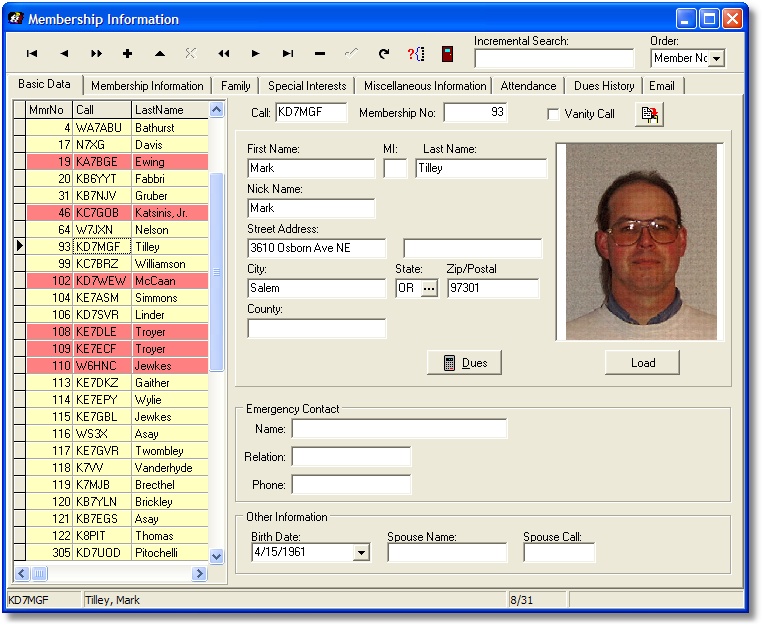
The core of the Ham Club Membership is the membership tracking.
The software has the ability to collect over 170 different pieces of information
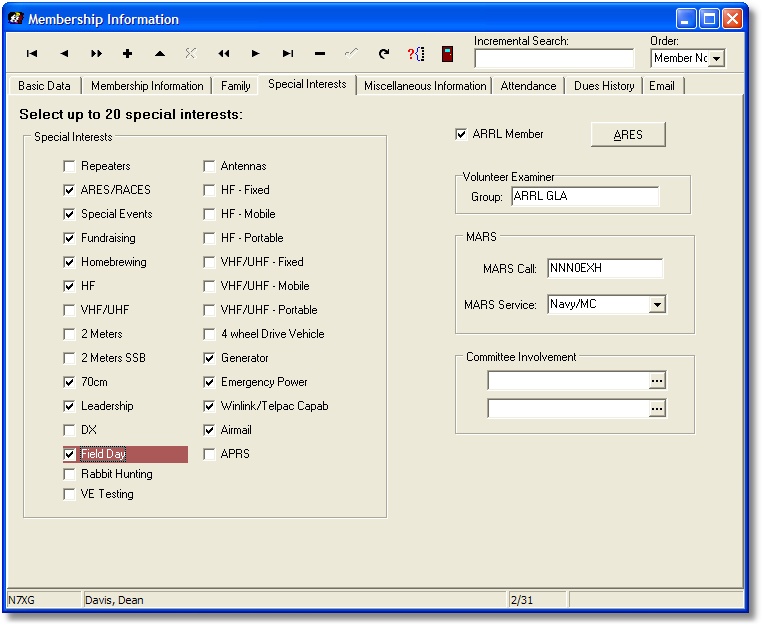
most of which are optional. A number of under fields are used to record special
interests and additional fields can be used to record just about any other
information your club wants to collect.
Information is captured to record information about MARS.
|
 |
|
Over 80 different fields can be captured to record the members interest in
ARES. We have used this information to forward to our local ARES groups when
information has changed. During emergencies this information becomes vital in
getting stations up and on the air.
|
 |
|
There are over 30 special fields that can be utilized to capture additional
information about your members.
|
 |
|
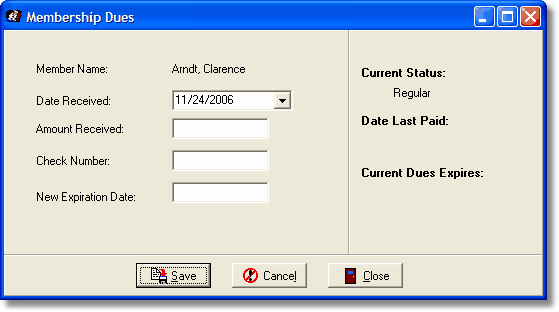
Our dues component can be used to track and record a members dues. When dues
are recorded corresponding membership information is also updated. For example
if a members dues had expired and he makes a payment his status is change back
to an active status, automatically.
|
 |
|
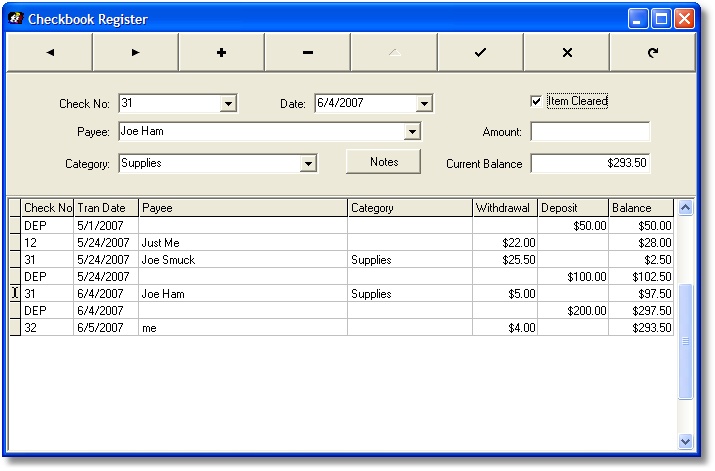
The checkbook register feature allows you to keep track of all your
transactions in your clubs checking account. These include deposits, ATM
transactions, and checks written.
|
|
Other Names and Addresses
|
 |
|
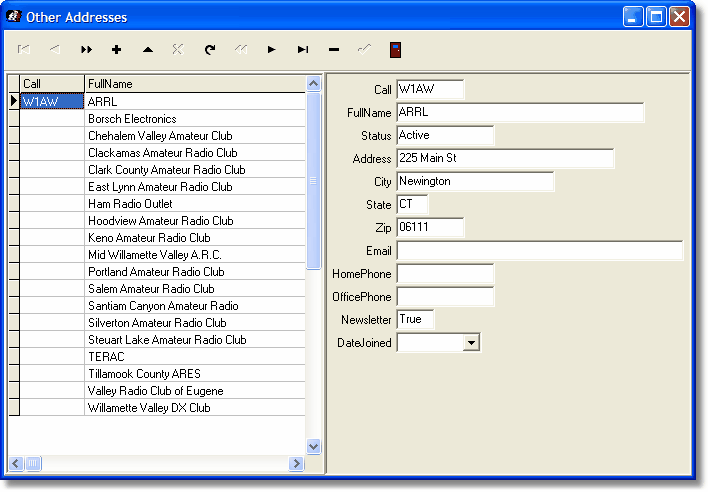
It seems that in this day and age everyone collects names and addresses. In
a ham radio club this is no exception. We designed it specifically to exchange
club newsletters and announcements with other clubs and organizations in our
area. Simply put this is just a secondary place to store these names.
|
 |
|
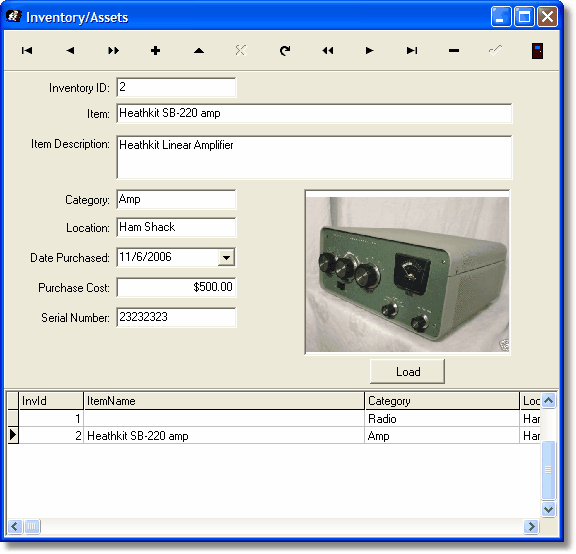
During the development of the Ham Club Membership program the club that I was
involved with was in the process of renewing their insurance policy and the
question was asked what are your assets. All clubs have assets and out module
is designed to record enough information to fully describe the item including
depreciation.
|
 |
|
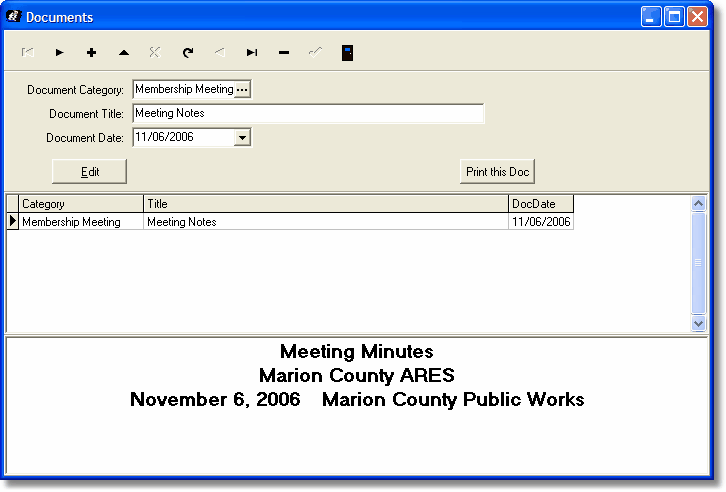
Every club creates tons of documentation. Meeting minutes, agendas, correspondence,
etc and it seemed natural to include it into the Ham Club Membership. Out Document
Manager is more than just a storage place for your documents. It is a full
featured word processor capable of producing practically any kind of document.
In fact you can even copy and paste from other word processors. You will find
all of the standard formatting features and you can even paste in graphic images.
|
|
|
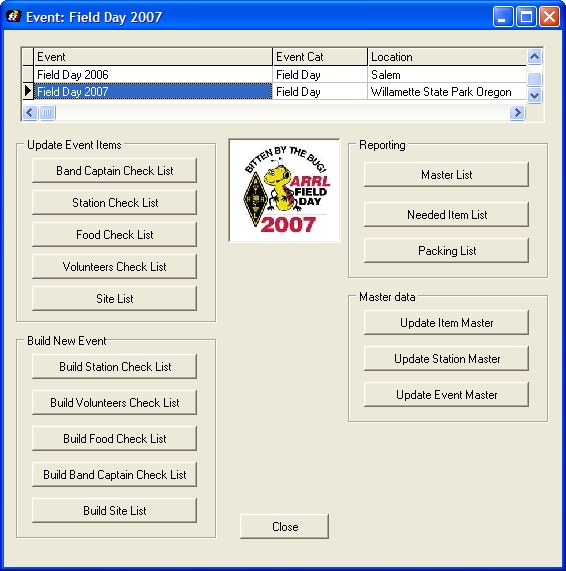
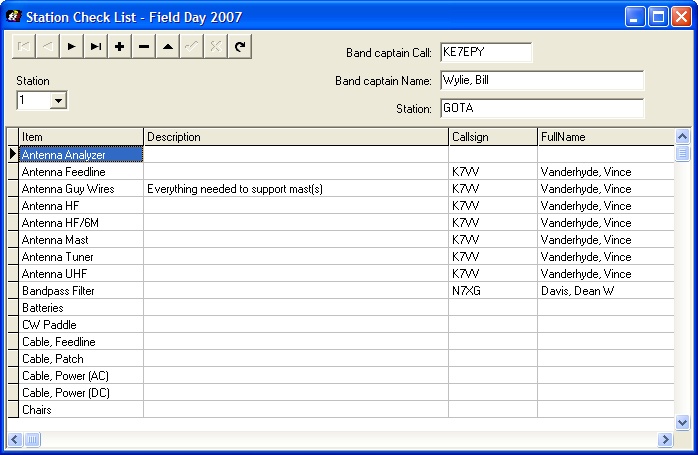
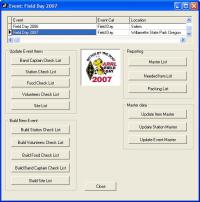
After coming back from Field Day I realized that our whole process of building
the necessary check lists and other documents would be easy to implement in the
software. This "Event Manager" feature should help anyone organizing an event.
This is based on the concept of building a "master list" of items
and stations, and then build a new event populating the files with correct
information. The last step (a manual one I am afraid) is to then go through
each list and assign someone to be responsible for a specific item. Once you
have it all organized you can then produce a master list of everything, a list
of needed items, and Packing Lists for everyone who has signed up to bring
something.
|
 |
|
This is an example of the station checklist.
|
 |
|
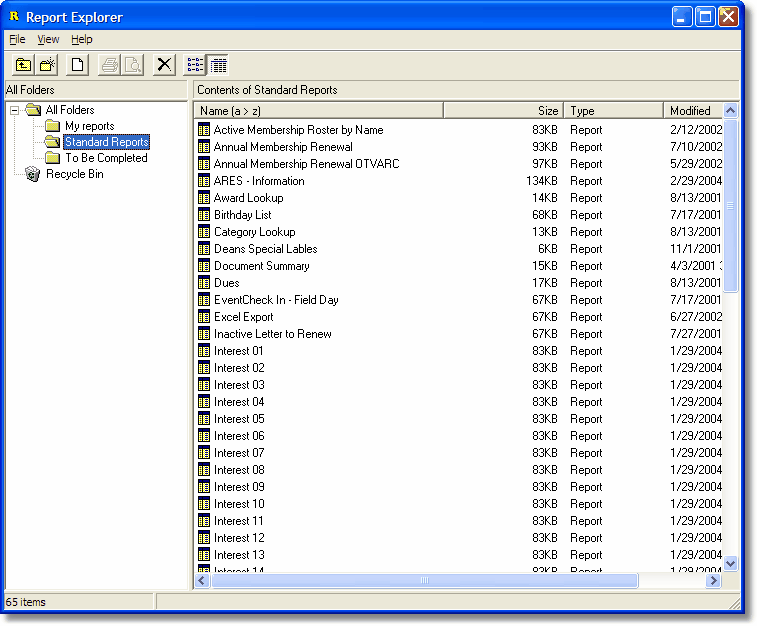
We use a standard reporting engine from Digital Meathphores. This allows us
to pass onto to the user full control of every report. You have the ability to
make any change to any report we have provided to suit your own needs. If you
don't like something, change it. Yes full control!
|
Sample Reports
 Membership Roster Membership Roster
Membership Roster with Detail
Membership Roster with Photo
Membership Renewal Letter
Meeting Checkin Sheet
ARES Registration Information
Inventory with Photo
Event Master
Event Needed List
Event Packing List
 |
|
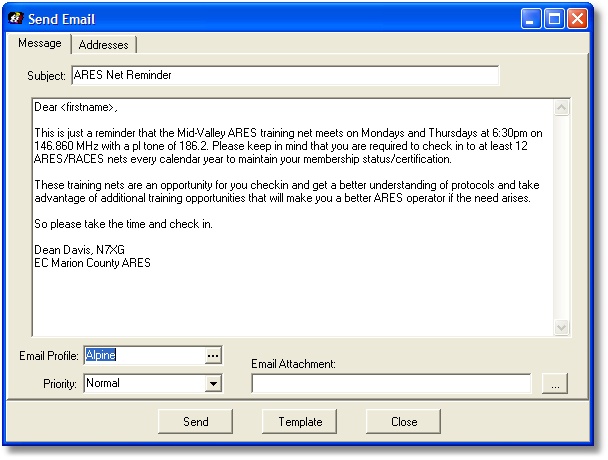
The Bulk Email features allow you to send email messages to any or all members
in the membership database.
|
 |
|
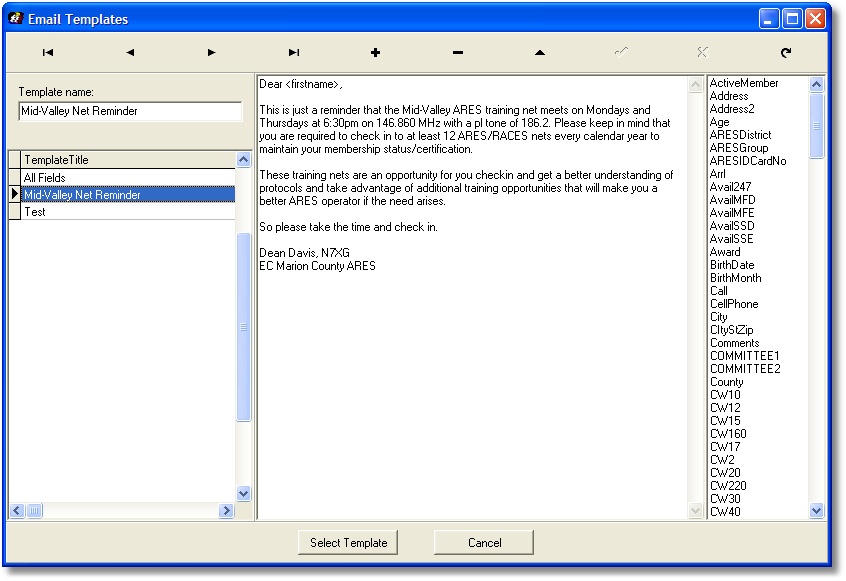
You have the ability to set up email templates
for reoccurring emails and well as use database fields in emails.
|
Updated mail support for TLS/SSH
- A new lookup table has been added for re-occurring events. This is used in
the changes made to the Attendance feature
- A number of changes were made in the Attendance screen. a) The Event
Description is now a drop down box using the Event table as a source; b) A new
field "Event Hours" has been added to record the total number of hours for a
person for an event; c) You can now search for members either by using their
call or Member ID. The System Settings has a new field labeled "Att Lookup" to
either select Member No or Call lookup on the Attendance screen.
- On the Bulk Email screen, Address tab double clicking on any item will
reverse the selection. For example you could press the "Select All" button to
select all members with email addresses, and then double click on any item to
de-select.
- Fixed a problem with the Education/Training tab that was not selecting
courses from the correct table.
- After coming back from Field Day I realized that our whole process of
building the necessary check lists and other documents would be easy to
implement in the software. In the File menu there is a new item named
"Event Manager" which should help anyone organizing an event. I will work on
the documentation soon but in summary how it works is that you first prepare
a "master list" of items and stations, and then build a new event populating
the files with correct information. The last step (a manual one I am afraid)
is to then go through each list and assign someone to be responsible for a
specific item. Once you have it all organized you can then produce a master
list of everything, a list of needed items, and Packing Lists for everyone
who has signed up to bring something. This is still work in progress so I
would appreciate comments.
- Added a new field on the ARES screen called "ARES Team". This dropdown
box is used to select a Team from the ARES Team Table (see ARES Teams under
File, Lookup Tables). Our goal here is to provide a solution to produce callup
call trees.
- Fixed a problem where the MemberSince field was not being calculated.
- Fixed a problem where birth month had a slash in it.
- Renamed the label on the membership screen from "Position" to "Staff Position".
- Made some minor changes to the backup/restore program for the new files.
- Added 10 additional fields for special interests
- Under Misc Information added Education/Training
- On the ARES scrteen added Availability
- Added new feature for a simple Check book manager
- Added Bulk email features including the ability to use email templates
- Added Education/Training tracking for members
- Added the ability to print a dues receipt when processing dues.
- Added Clone button to membership screen. This will copy the entire contents of one record to create a new record. Useful when adding family members.
- New reports:
- Check Register
- Dues Receipt
- Interest 21 - 30
- Members Training
- Modified Reports:
- ARES Information
- Inventory Assets Photo
- Inventory Assets
- Members Training
- Membership Roster - Detail
|